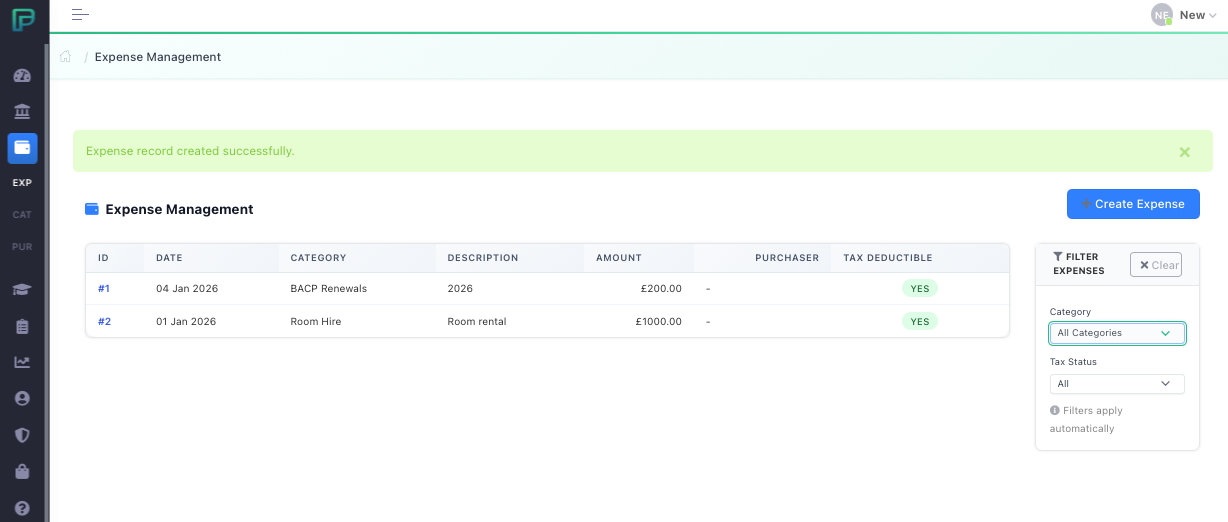
Expense
Categories
The first thing we need to do is setup our own expense categories to map across to HMRC Expense Codes. The expense categories are taken from HMRC and offered in order for you to select which ones you wish to use. There are two kinds, Tax Deductible and Non-Tax Deductible. For information on tax and Self-Assessment you should consult the HMRC website. We will setup some typical expense categories to act as a guide for starting off. Select “Expenses” then select “Categories” from the pop-out menu. Select “Create Category” and the following page will appear.
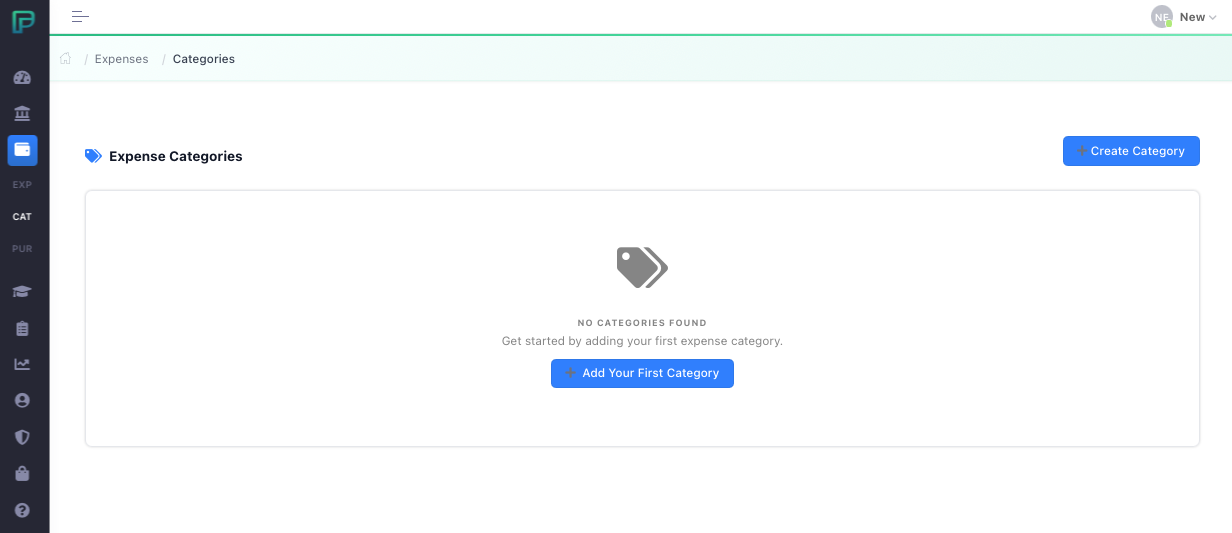
In the “Category Name” box you can type any name for the expense type you wish to enter. In our image below we have added several examples.
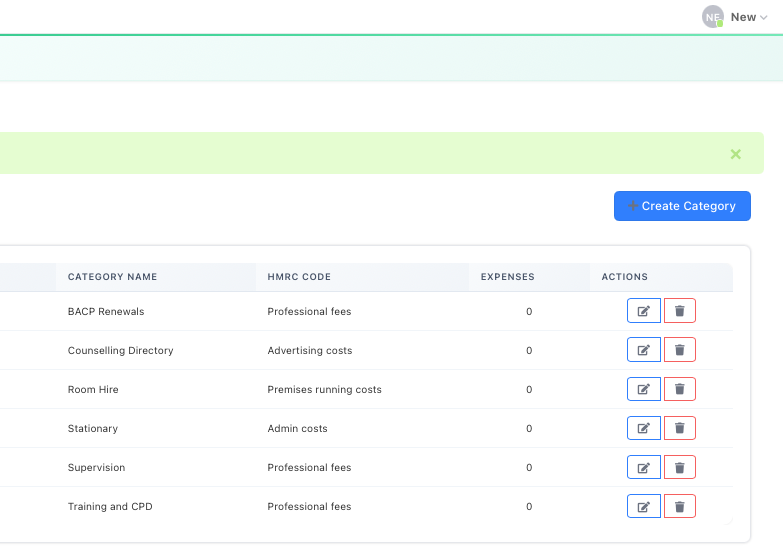
As far as reporting on your expenses for self-assessment goes, you could list all your tax deductible expenses under “Other Expenses” if you wish, but it does help to organise things a little better by mapping them.
Purchaser
For a sole trader this isn’t necessary, but if you run an organisation with more than one member you may wish to allocate expenses by user for reporting purposes. If this is the case then you can setup Purchasers within this section of the system.
Expense Records
Here is where we record our expenses. Simply click the button “Add Expense Record” in the top right corner to show the following page:
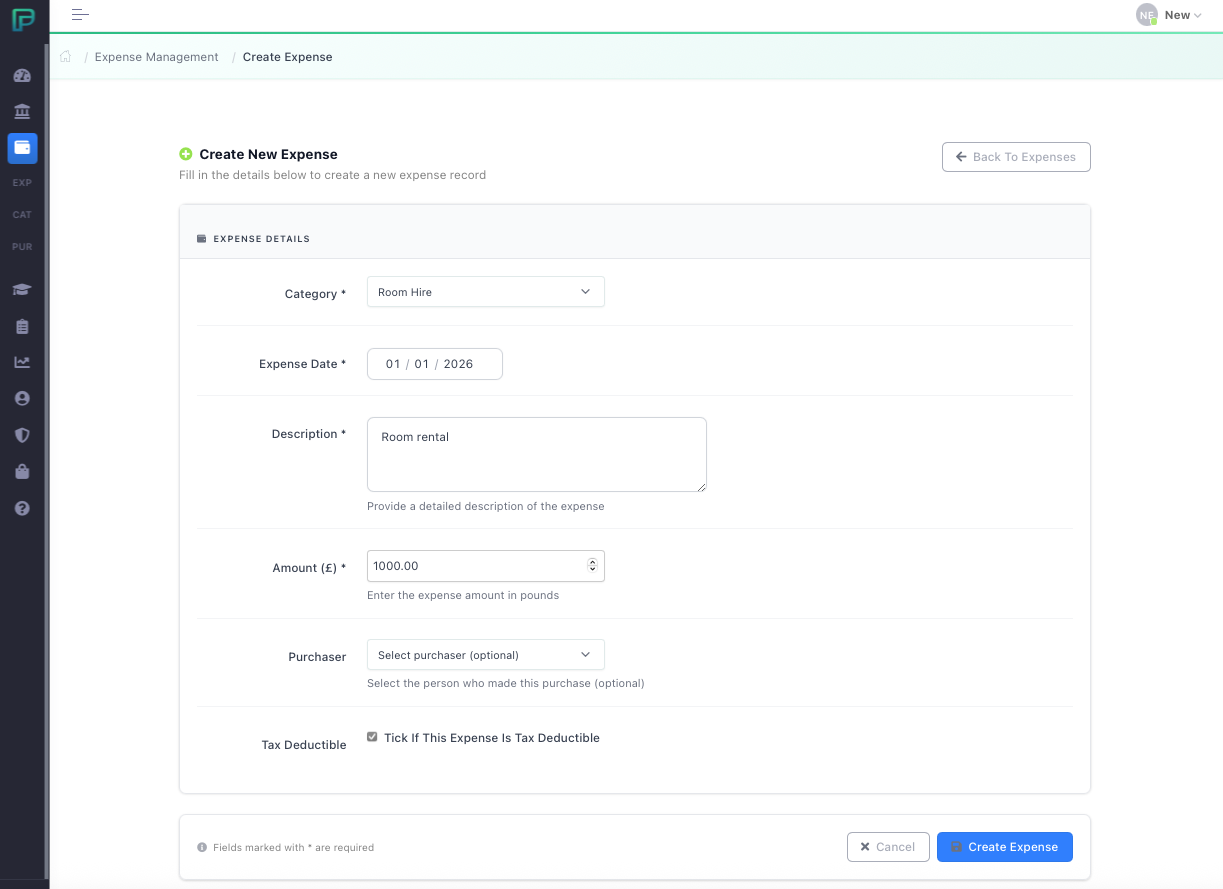
The page is reasonably self-explanatory, but notice the tick box at the bottom, if the expense is not tax deductible you will need to untick this box. It is entirely up to yourself whether you wish to record all expenses, but only those ticked for ‘Tax Deductible’ will impact your self-assessment record for tax returns/MTD. Non-Tax Deductible are simply for tracking your own expenses if you wish to do this. Once you click “Create Expense” you will go back to the list of expenses.